Roam Untangled
Roam Research, untangled.
A free course for using Roam in a way that’s process-light and practical: set it up so it stays simple as it grows, then follow one real project from blank page to finished essay.
Free · 22 lessons, about 3.5 hours of video · 8,000+ learners
“The best by a long-shot”
Why Roam feels tangled
Starting out with @RoamResearch is overwhelming. The potential is clear, the path is hazy.
Blocks, links and networked notes can organise your ideas for you. This course shows how they work in practice, with real-life examples, so you can see whether Roam suits you. If it does, the templates and lesson notes get you started faster.
It has a bias for creation, not admin: a note-taking technique that balances joy and effort, designed for networked tools like Roam. The impact for me was being able to write twice as fast as in my Evernote days.
Notes piled up and knotted: more filing, fewer ideas.
The same notes, linked: one idea leads to the next.
What’s inside
Designed for speed
A practical way to set up your Roam database so it’s process-light and scales from the start. You get to focus on creating, not admin.
Happy accidents
My metadata templates and big- and little-picture note-taking templates, for cross-pollinating topics and generating original ideas.
One real project, start to finish
Eight walkthroughs follow an article from scoping and research, through HQ&A note-taking on an academic paper, to the final draft and export.
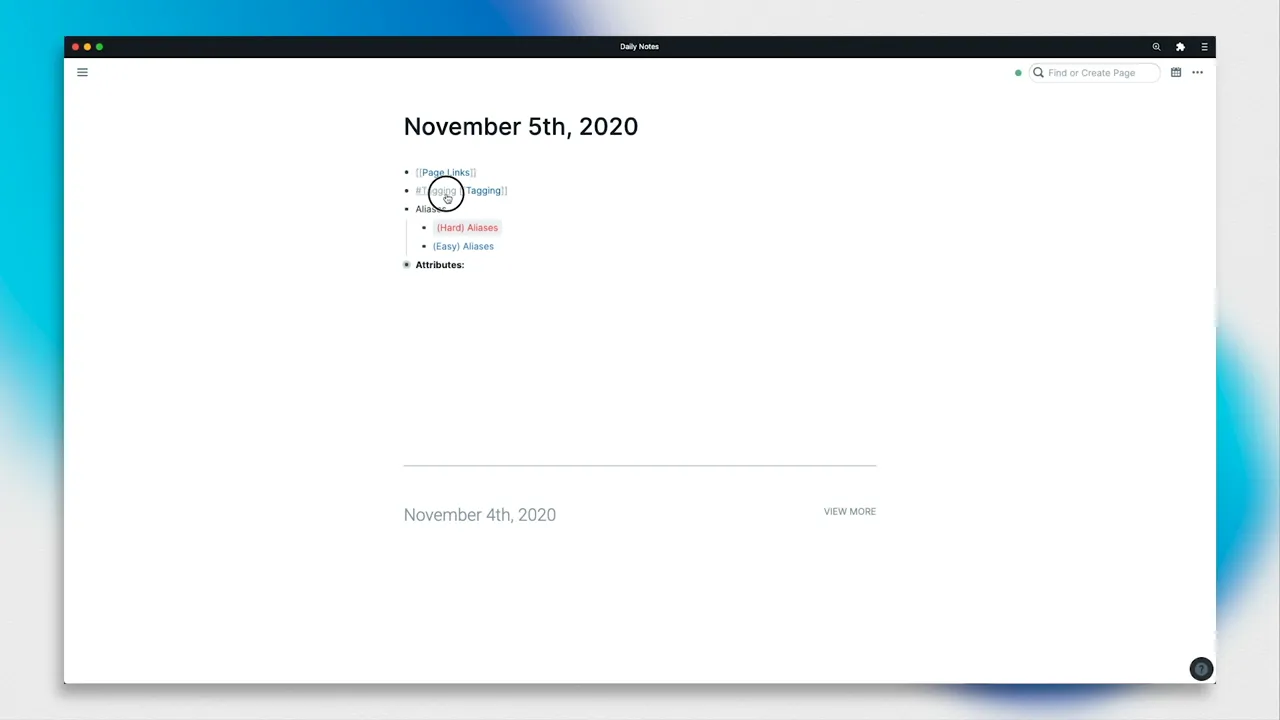 Play lesson 5, The (Secret) Easy Way To Use Aliases (10 minutes)
All the lessons
Start here
- Introduction to Roam Untangled
- Principles: is Roam going to help you?
Essential features of Roam Research
- The Daily Note, your gateway into Roam
- Creating your first connections: [[Pages]] and #Tags
- The (secret) easy way to use Aliases
- Attribute links: their hidden potential
- Supercharging your Roam navigation
Choosing your Roam project
- Guidance on choosing your Roam project
Use case: writing an essay or article twice as fast
- Preface: from blank page to final draft
- Structuring your notes for serendipity and retention
- Creating templates and using metadata for speed and depth
- Scoping your article and logging your research in Roam
- Applying HQ&A note-taking to an academic article
- Pulling your thoughts together (and idea babies)
- Using daily notes to spice up your writing
- Quirks of writing in Roam and exporting your work
- Extracting tags for publishing and browsing your brain
Niche features and quick tips
- Roam quick tips and tricks
- Up, down and across tagging
- Big picture and little picture tagging
- Using tags and queries to create writing prompts
What people say
As featured inRoamBrain.comThe Roaman TimesRoamStack
“Clearest to get my head round @RoamResearch by far!”
The @RoamResearch course by @JamoeMills is fantastic.
Digestible, accessible, practical – super 80/20 in approach. *Highly* recommended.
Having struggled with all the complex ways I can manage my #roam pages, this course has hit the mark by offering a solution to all the issues I’ve faced in the past few months. Smart, simple, inspirational #roamcult @JamoeMills
After using roam for over 6 months now and finding out different ways to use it better while spending the least time possible organising everything, this course has been an absolute eye-opener. This should really be linked to on the front page of @RoamResearch
Oh, my head! This is a fast and furious (and simply spectacular!) course in using @RoamResearch. If you’re thinking about using Roam - or you’re already using it - go now and sign up. So, so good. #roamcult @JamoeMills
Big picture / Little picture from Roam Untangled of @JamoeMills is enough for you to consider this course if you want to learn how to master @RoamResearch. Smart little details. Thank you Jamie
A serious alternative for learning the basics of @RoamResearch and still harness its incredible power. I highly recommend it. #roamcult @JamoeMills

Who’s teaching
I’m Jamie, the author of Oxford Notes. The templates in this course are the ones I use myself, and the walkthroughs show them on a real article, from blank page to final draft.
– Jamie Miles
Is it for you?
It’s for you if
You use Roam Research, or you’re about to, and want a way that stays simple.
You write essays, articles or research, and want your notes to feed the writing.
You’ve watched hours of setups and still feel stuck at a blank page.
Probably not if
You don’t use Roam and don’t plan to. The ideas travel, but the lessons are in Roam.
You want a perfect system before you start. This course has a bias for creating.
Questions
Is it really free?
Yes. Sign up with your email and you get the whole course.
How long is it?
22 lessons, about three and a half hours of video. Most are short; the walkthroughs run longer so you can follow along.
What format does it take?
Video first, with detailed reference notes and searchable closed captions in English.
Do I need Roam?
To follow along, yes: the lessons are recorded in Roam Research, so you’ll want your own Roam account open beside them.
Do I have to finish by a certain date?
No. Learn on your own terms, in bite-size pieces or in one sitting.
Start using Roam the light way
FreeThe whole course. Sign up with your email.
- 22 lessons, about 3.5 hours of video
- My metadata and note-taking templates
- Reference notes and searchable closed captions