At a glance
Based on the question: Can one person build a useful AI automation without coding, hiring a developer, or handing over the controls?
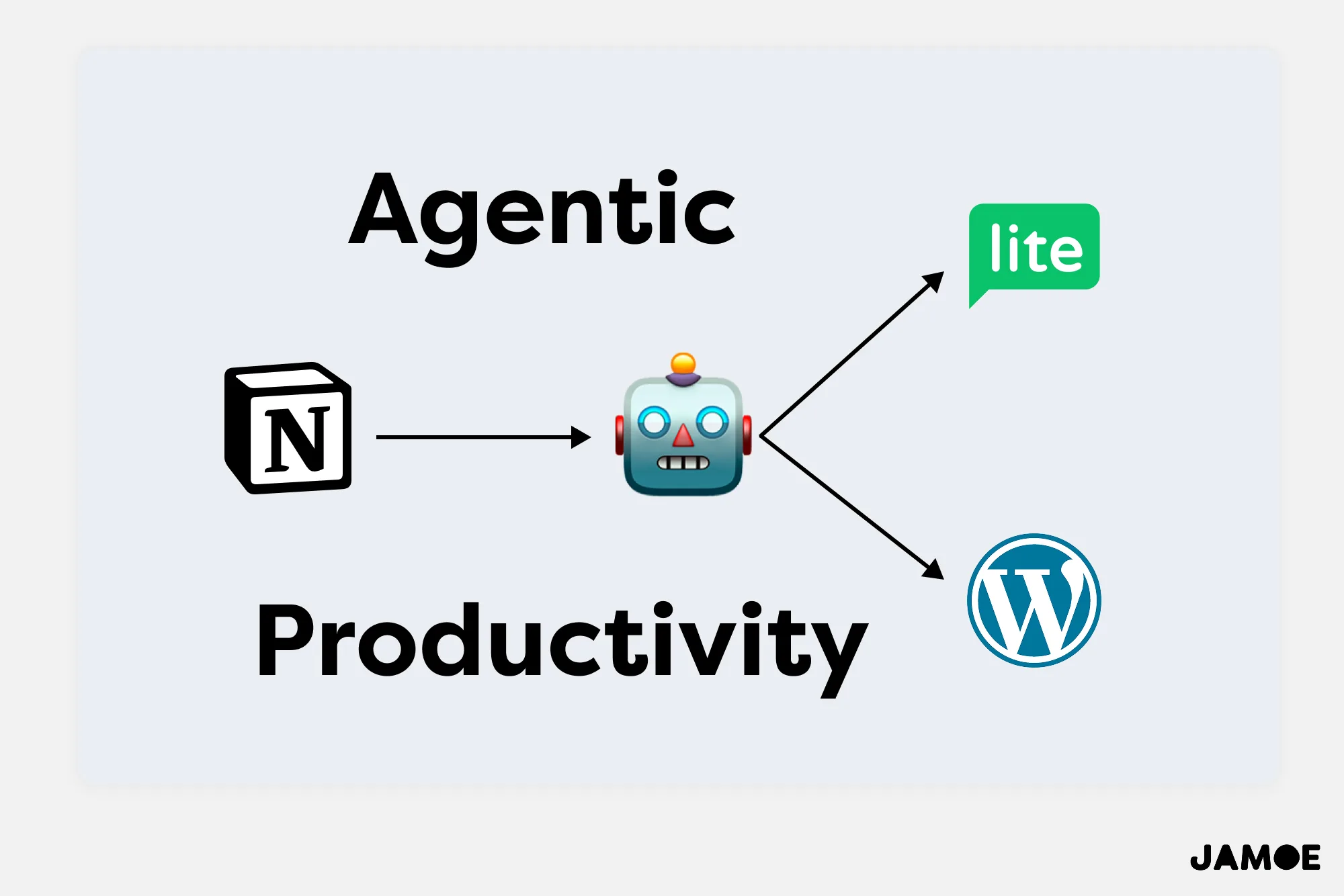
- Using an AI agent, Notion, WordPress and MailerLite, I built a system that assembles a finished newsletter into ready-to-review drafts, saving me hours of manual work.
- The result is a modest but useful second brain: it handles the clerical assembly, follows my existing templates, and still waits for me to make the final call.
Introduction
Throughout all the projects I’ve worked on, I always find myself pining for a software engineer to build various custom automations to make my life easier. There are no-code tools, like Zapier, but I usually need something more tailored.
In recent months, AI has passed another tipping point becoming ‘competent’. I’ve been tinkering with it since 2022 and the difference is palatable. It’s finally got its head screwed on, getting less confused and being less insubordinate.
Seeing this, I decided to use it to clone myself, getting it to take on the most cumbersome part of my newsletter: assembling all the writing into a WordPress post and MailerLite email campaign.
What would have taken a software engineer, thousands of pounds, and about a week of back and forth, ended up taking me about 30 minutes to prototype, test, refine, and deploy.
I managed all this while speaking plain English. That alone means these powers will become adopted by non-techies, the majority of humanity, who can’t tell an API from an DIY, and go hush when GitHub is mentioned.
So let’s wade gently into the waters of AI. To inspire your own automations — or agentic workflows — I’ll share how I wired up Notion, WordPress and MailerLite to spare me the hassle of manual assembly and give me more time to spend writing.
What I built
I type a message into the chat window, ‘Compile my next issue’. In the seconds that follow, the silicon brain churns:
- The AI finds all the elements of my newsletter in my Notion, grabs them, and then places them into a format that WordPress can handle.
- The visuals and structure all adhere to my design templates, so everything looks consistent. In tandem, the AI is also building a draft email campaign in MailerLite.
- Once it’s ready to build the draft, it asks my permission to proceed. That gives me the peace of mind I need to know it isn’t going rogue and ignoring the brief.
- Finally, I click over to WordPress and MailerLite, give everything a final review, and click Publish.
The second brain: how I set up Notion
I think about my newsletter like Lego bricks and have designed my Notion to reflect this modular construction.
I have a database for Jamie’s Journal that has templates for every element: the covert art, quote, opening message, article, story, artist attribution, favourite finds, etc.
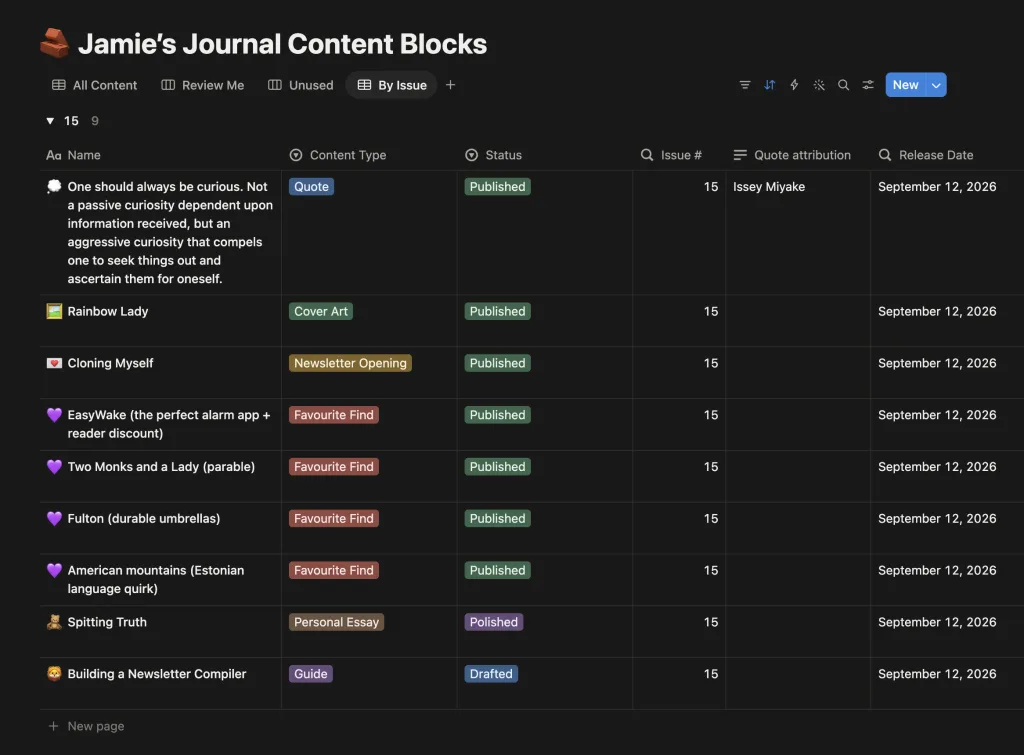
The setup serves a dual purpose: it makes it easy to track of what’s I’ve written and whether it’s ready-to-publish, and it’s easily readable by a computer.
The first keeps me organised and the second let’s be take advantage of AI’s abilities, which depends on having three things: a brain, context, and commands.
The ingredients to make AI work
Simplified, you need a Brain + Context + Tools to make an AI Agent work.
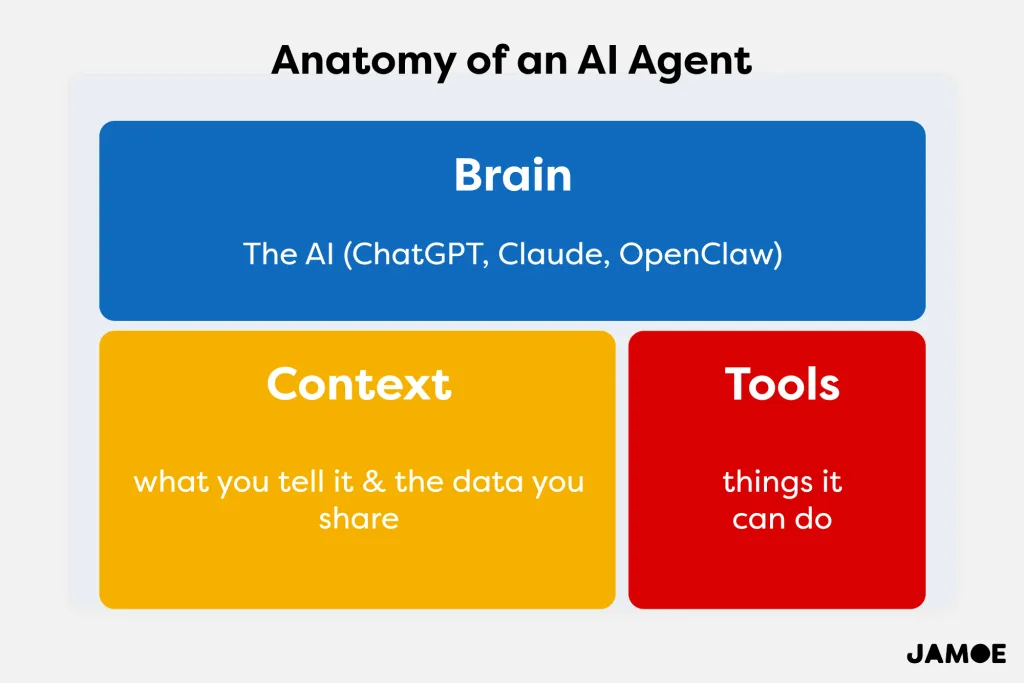
The brain is the AI that you've selected: ChatGPT, Claude, Gemini, OpenClaw. However, that brain is useless without context: instructions, prompts, and anything else you share with it to get a better understanding of what you want and who you are. Finally, you have the tools, which allow the AI Agent to take actions on your behalf.
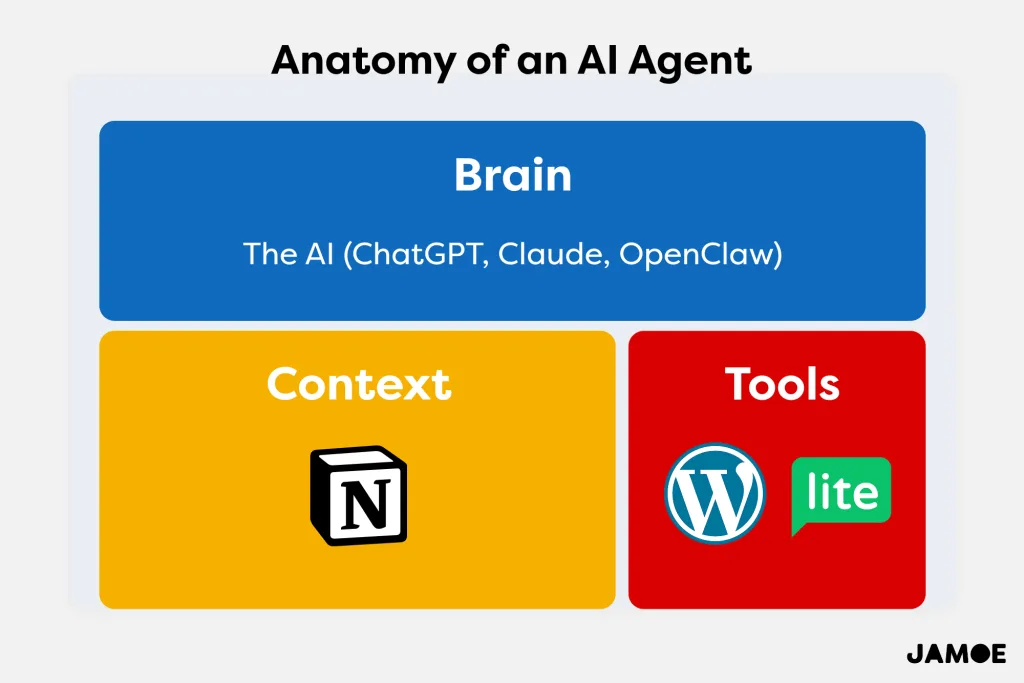
The AI I used was Perplexity, but you can use whichever you prefer, including private and open-source versions such as OpenClaw or IronClaw. For context on what I'm working on, I used Notion, and the apps I wanted the AI Agents to do stuff in were WordPress and MailerLite.
Getting the AI to build the newsletter compiler
The incredibly intuitive and "human" way I approached building the compiler was what surprised me the most. Anyone could do this. They just needed to be systematic.
First, I asked the AI what was possible, like a curious and optimistic interlocutor. I broke down what I was trying to achieve: can you publish from my Notion to WordPress and MailerLite? How? How do I connect my Notion? Can you guide me through? Can you mirror how I already structure my WordPress posts?
Basically, every question I might ask when outlining the workflow, I asked the AI, breaking the problem into small chunks, and then pushing further until I got the result I wanted.
Once everything was working as expected, I asked the AI to write a set of instructions to I could pass onto an agent. For reference, an agent is an AI dedicated to a specific task, or set of sets.
And just like that, the AI produced a tight, clear, and accurate set of instructions, put them into a document, and I was ready to create a new chat, call it 'Jamie's Journal Compiler v1', hand it this document, and have it ready to compile future editions of my journal whenever needed.
Interested in building your own agentic workflows?
If you'd like a practical, uncomplicated guide to using AI Agents, click this link to join that mailing list, and I'll keep you posted.